
Extract URLs from a sitemap to CSV or JSON: 5 methods

To extract URLs from a sitemap, you only need the text of its loc elements. The catch is the XML namespace: a plain //loc query finds nothing. Here are five ways to get that list out as CSV, JSON or plain text, from a browser tool with no setup to a Python script that also follows a sitemap index.
Why does //loc return nothing on a sitemap?
Every sitemap declares a namespace on its root element: <urlset xmlns="http://www.sitemaps.org/schemas/sitemap/0.9">. The sitemaps.org protocol requires it. Because it is a default namespace, with no prefix, every <url> and <loc> element in the file belongs to it.
XPath 1.0 treats a name without a prefix as a name in no namespace. So //loc looks for a <loc> element that has no namespace, and a valid sitemap has none. The query is correct XPath. It simply matches zero nodes, and that is why so many scripts and formulas return an empty result.
There are two fixes, and every method below uses one of them:
- Match the element by its local name only:
//*[local-name()='loc']. This works in any XPath 1.0 tool, with no setup. - Bind a prefix to the namespace URI and use it:
//sm:loc, wheresmstands forhttp://www.sitemaps.org/schemas/sitemap/0.9. Python and most libraries let you do this.
You can try both on your own file in our XPath tester. It gives the default namespace the prefix d, so //d:loc lists every URL with its line.
One more trap: a sitemap index. Its root is <sitemapindex>, and its <loc> elements point to other sitemaps, not to pages. Google allows up to 50,000 of them per index, all on the same site unless cross-site submission is set up. WordPress serves one by default, as our guide to WordPress sitemap addresses shows. Each method below says how it handles an index.
Sitemap to CSV in the browser, with no install
Our free Sitemap Checker reads a sitemap you paste, open or drop on the page, .xml or .xml.gz. The file stays in your browser. After the check, the URLs tab shows a table with four columns: URL, last modified, change frequency and priority.
- Open the sitemap in your browser and save it, or copy its source.
- Paste it into the Sitemap Checker, or use Open file, then press Check sitemap.
- Open the URLs tab. Type part of an address in Filter URLs to keep only some rows, and click a column header to sort.
- Press Export CSV.
The CSV contains the rows as the table shows them, filter and sort included, with the columns loc, lastmod, changefreq and priority. It is UTF-8 with a byte order mark, so Excel shows accented characters correctly. A cell that starts with =, +, - or @ gets an apostrophe in front, so a spreadsheet does not run it as a formula. The file takes the name of the file you opened, or sitemap.csv for pasted text.
Two limits. The tool exports CSV only, not JSON. And it never connects to other websites, so it cannot read a sitemap from its URL or follow the sitemaps listed in an index. On an index, the tab is called Sitemaps and the CSV has two columns, loc and lastmod: the child sitemaps, not the pages.
For JSON from a file, the XML to JSON converter converts the whole sitemap. You get its structure, with each <url> as an object, rather than a flat list of rows.
Export a live sitemap from Chrome as CSV or JSON
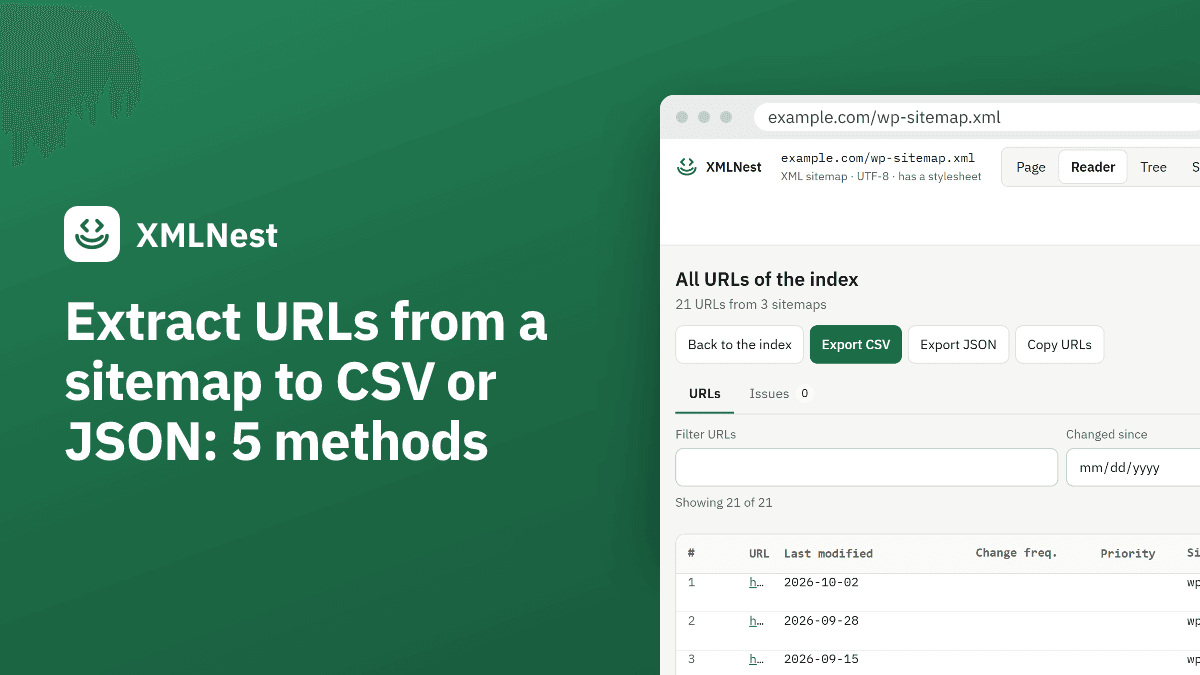
The XMLNest extension for Chrome, available on the Chrome Web Store, opens a live sitemap URL in Chrome and shows it as a table in its Reader view. Above the table are three buttons:
- Export CSV saves the columns URL, Last modified, Change frequency and Priority, plus Images and Alternates counts when the sitemap has image or hreflang entries.
- Export JSON saves an array of objects with the keys
loc,lastmod,changefreq,priority,imagesandalternates. - Copy URLs copies the addresses only, one per line, ready to paste into a column or a crawler.
All three use the rows shown, in the order shown. Filter URLs keeps the addresses that contain some text, and Changed since keeps the URLs modified on or after a date. Filter /blog/ and pick a date, and you export only the recent posts. As in the Sitemap Checker, CSV cells that start with =, +, - or @ are escaped.
On a sitemap index, “Load all child sitemaps” reads the sitemaps of the same site listed in the index, 50 at most, one at a time. It never requests sitemaps on other sites. “Show all URLs” then joins them in one table with an extra Sitemap column that names the file each URL came from, and the three exports work on that table too.
Extract sitemap URLs with curl and xmllint
xmllint is part of libxml2. macOS ships it, Debian and Ubuntu have it in the libxml2-utils package, and on Windows you can use it through WSL. Its --xpath option runs an expression and prints the result:
curl -s https://www.example.com/sitemap.xml \
  | xmllint --xpath "//*[local-name()='loc']/text()" - > urls.txt
The - tells xmllint to read from the pipe. With //loc instead, the manual says xmllint prints “XPath set is empty” and exits with code 11, the namespace problem described above. The manual documents no option to bind a namespace prefix for --xpath, which is why the local-name() form is the practical one here.
The manual only says that each node of the result is serialized in full. Check that your version prints one URL per line before you feed urls.txt to another script.
A gzipped sitemap needs one more step, gunzip, between the download and xmllint:
curl -s https://www.example.com/sitemap.xml.gz | gunzip \
  | xmllint --xpath "//*[local-name()='loc']/text()" -
On an index, the same command returns the addresses of the child sitemaps. Run it again on each of them to get the pages:
curl -s https://www.example.com/sitemap_index.xml \
  | xmllint --xpath "//*[local-name()='loc']/text()" - \
  | while read -r sm; do
      curl -s "$sm" | xmllint --xpath "//*[local-name()='loc']/text()" -
    done > all-urls.txt
We ran the Python example below; the xmllint commands follow its manual.
Python: sitemap to JSON or CSV, index files included
Python’s ElementTree expands a default namespace into the tag name, so the root of a sitemap is {http://www.sitemaps.org/schemas/sitemap/0.9}urlset. In our test with Python 3.14, root.findall(".//loc") returned zero elements. The Python docs show the fix: pass a dictionary of prefixes to find() and findall().
This script reads a sitemap or an index from its URL, follows the child sitemaps of an index, unpacks gzipped files, and writes loc, lastmod and the source sitemap to urls.csv:
import csv
import gzip
import sys
import urllib.request
import xml.etree.ElementTree as ET

NS = {"sm": "http://www.sitemaps.org/schemas/sitemap/0.9"}

def read(url):
    with urllib.request.urlopen(url) as response:
        data = response.read()
    if data[:2] == b"\x1f\x8b":  # gzip
        data = gzip.decompress(data)
    return ET.fromstring(data)

def collect(url, rows):
    root = read(url)
    if root.tag == "{%s}sitemapindex" % NS["sm"]:
        for child in root.findall("sm:sitemap/sm:loc", NS):
            collect(child.text.strip(), rows)
    else:
        for entry in root.findall("sm:url", NS):
            rows.append([entry.findtext("sm:loc", "", NS).strip(),
                         entry.findtext("sm:lastmod", "", NS).strip(),
                         url])

rows = []
collect(sys.argv[1], rows)
with open("urls.csv", "w", newline="", encoding="utf-8") as f:
    writer = csv.writer(f)
    writer.writerow(["loc", "lastmod", "sitemap"])
    writer.writerows(rows)
print(len(rows), "URLs written to urls.csv")
Run it with python sitemap_to_csv.py https://www.example.com/sitemap_index.xml. On our test index, which listed one plain and one .xml.gz sitemap, it wrote four rows. A URL written ?page=2&sort=new in the XML came out as ?page=2&sort=new, because the parser decodes entities.
For JSON, replace the last block with json.dump() from the standard library, for example a list of objects with the keys loc, lastmod and sitemap. If you parse sitemaps from sites you do not control, read the XML security section of the Python documentation first.
Google Sheets IMPORTXML: a list of URLs in a column
Google’s help page for IMPORTXML lists XML among the data types the function reads. Its syntax is IMPORTXML(url, xpath_query, locale), and the URL can be a cell reference. Use the local-name() form in a cell:
=IMPORTXML("https://www.example.com/sitemap.xml", "//*[local-name()='loc']")
The help page says nothing about XML namespaces. The local-name() expression does not depend on how Sheets handles them, since it matches the element by its name alone. File > Download > Comma-separated values (.csv) then saves the sheet as a CSV file. We did not test IMPORTXML for this article; this section follows Google’s help page.
For an index, the formula returns the child sitemaps. Put one child address per cell in column A, then use =IMPORTXML(A2, "//*[local-name()='loc']") in the next column for each of them.
If the sitemap itself will not load, start with why Google cannot fetch a sitemap: an HTML error page returns no <loc> element at all.
Sources
- sitemaps.org: Protocol (checked on 29 October 2026)
- Google Search Central: Manage your sitemaps with sitemap index files (checked on 29 October 2026)
- W3C: XML Path Language (XPath) 1.0, Node Tests (checked on 29 October 2026)
- libxml2: xmllint manual page (checked on 29 October 2026)
- Python documentation: xml.etree.ElementTree, Parsing XML with Namespaces (checked on 29 October 2026)
- Python documentation: XML security (checked on 29 October 2026)
- Google Docs Editors Help: IMPORTXML (checked on 29 October 2026)
- Test by XMLNest : Tested by XMLNest on 29 October 2026 with Python 3.14.3: ElementTree findall('.//loc') returned 0 elements on a sitemap with the sitemaps.org namespace, and the namespaced script below wrote 4 rows from an index listing one plain and one gzipped sitemap, with & decoded to &. lxml 6, built on libxml2 like xmllint, also returned 0 nodes for //loc and every URL for //*[local-name()='loc']. The xmllint commands were not run; they follow its manual. (checked on 29 October 2026)