Check a podcast RSS feed: required tags, common errors and validators

To check a podcast RSS feed, you need to know what Apple Podcasts expects in it. A podcast is an RSS 2.0 file with extra tags for directories. Apple Podcasts lists six tags it requires for the show and three for each episode, and a feed without them fails validation. Here is what to look for, how to open the file, and what we saw when we broke a test feed on purpose.
What is inside a podcast feed
A podcast feed is an RSS 2.0 file. Apple’s requirements page says the feed must follow the RSS 2.0 specification, be publicly addressable and not be password-protected. Directories and podcast apps read this file to find your show and its episodes.
If you use a hosting provider, it builds the feed for you. Apple’s hosting page says that hosts create an RSS feed from your podcast elements. The feed address is in your host’s dashboard, usually in the show settings or near the distribution options. It is also the address you submitted to Apple Podcasts and other directories. Apple strongly encourages a hosting server that supports SSL, so that this address can start with https, but its requirements page does not make HTTPS a strict rule.
Opened in Chrome, that address often shows a wall of code. Our guide on RSS feeds shown as plain text explains why, and what readers can do.
RSS 2.0 on its own describes a channel and its items. The RSS 2.0 specification requires three elements in the channel: title, link and description. In an item, every element is optional, but at least one of title or description must be present.
Podcasts add tags from a namespace. Apple asks for the itunes namespace in the root element, written exactly like this, with http and not https:
<rss version="2.0" xmlns:itunes="http://www.itunes.com/dtds/podcast-1.0.dtd">
Some feeds also declare the Podcasting 2.0 namespace, xmlns:podcast="https://podcastindex.org/namespace/1.0". It is maintained by the Podcast Index community on GitHub and adds tags such as podcast:transcript, podcast:chapters and podcast:guid. Apple does not list it in its required tags.
Tags Apple Podcasts requires
Apple’s “A Podcaster’s Guide to RSS” sorts tags into required, recommended and situational ones. Required tags must be present, or the feed does not pass validation.
At show level, inside channel:
| Tag | What Apple asks for |
|---|---|
title |
The name of the show |
description |
A description of the show |
itunes:image |
Artwork from 1400 x 1400 to 3000 x 3000 pixels, JPEG or PNG, RGB, no alpha channel |
language |
A code from the ISO 639 list; an invalid code fails validation |
itunes:category |
A category from Apple’s list; only the first category and subcategory count |
itunes:explicit |
true or false |
At episode level, inside each item: title, enclosure and guid.
Here is a minimal feed with all nine. It is the one we used in our tests.
<?xml version="1.0" encoding="UTF-8"?>
<rss version="2.0" xmlns:itunes="http://www.itunes.com/dtds/podcast-1.0.dtd">
<channel>
<title>Workshop Notes</title>
<link>https://podcast.example.org/</link>
<description>A weekly show about simple furniture and hand tools.</description>
<language>en</language>
<itunes:image href="https://podcast.example.org/cover-3000.jpg"/>
<itunes:category text="Leisure">
<itunes:category text="Crafts"/>
</itunes:category>
<itunes:explicit>false</itunes:explicit>
<item>
<title>Tools & tricks for a first bench</title>
<enclosure url="https://podcast.example.org/audio/first-bench.mp3" length="28592000" type="audio/mpeg"/>
<guid isPermaLink="false">workshop-notes-0001</guid>
<pubDate>Thu, 17 Sep 2026 06:00:00 +0000</pubDate>
</item>
</channel>
</rss>
The link element is not in Apple’s required list, but RSS 2.0 requires it in the channel. Apple also asks for dates in RFC 2822 format, with a 24-hour time and a time zone offset, as in the pubDate above.
The enclosure and guid of each episode
The enclosure element points to the audio file. The RSS 2.0 specification gives it three required attributes:
url: where the file is.length: the size of the file in bytes, not its duration.type: the MIME type of the file.
Apple accepts these types: audio/mpeg for MP3, audio/x-m4a for M4A, video/mp4 for MP4, video/x-m4v for M4V, video/quicktime for MOV and application/pdf for PDF. Apple’s requirements page adds that the server hosting the files must accept HTTP HEAD and byte-range requests, which apps use to stream an episode. Duplicate enclosure URLs are ignored.
The guid identifies the episode. The RSS 2.0 specification describes it as a string that uniquely identifies the item, and says its isPermaLink attribute defaults to true, meaning the value is a web address. If your GUID is not a URL, set isPermaLink="false". Apple asks for a GUID that is unique and never changes, even when the title or the enclosure URL changes. A new GUID on an old episode can make apps treat it as a new one.
How to read a podcast feed in Chrome
Paste the feed address into Chrome’s address bar. What you see depends on the content type the server sends. When the server sends the feed as application/rss+xml, Chrome shows the file as plain text, as explained in the guide linked above.
Plain text has a cost when you are checking a feed. In our test, a feed with a broken & in an episode title looked exactly like a valid one when sent as application/rss+xml: Chrome showed the text and no error. Sent as application/xml, the same broken file showed “This page contains the following errors”, then “error on line 14 at column 21: xmlParseEntityRef: no name”.
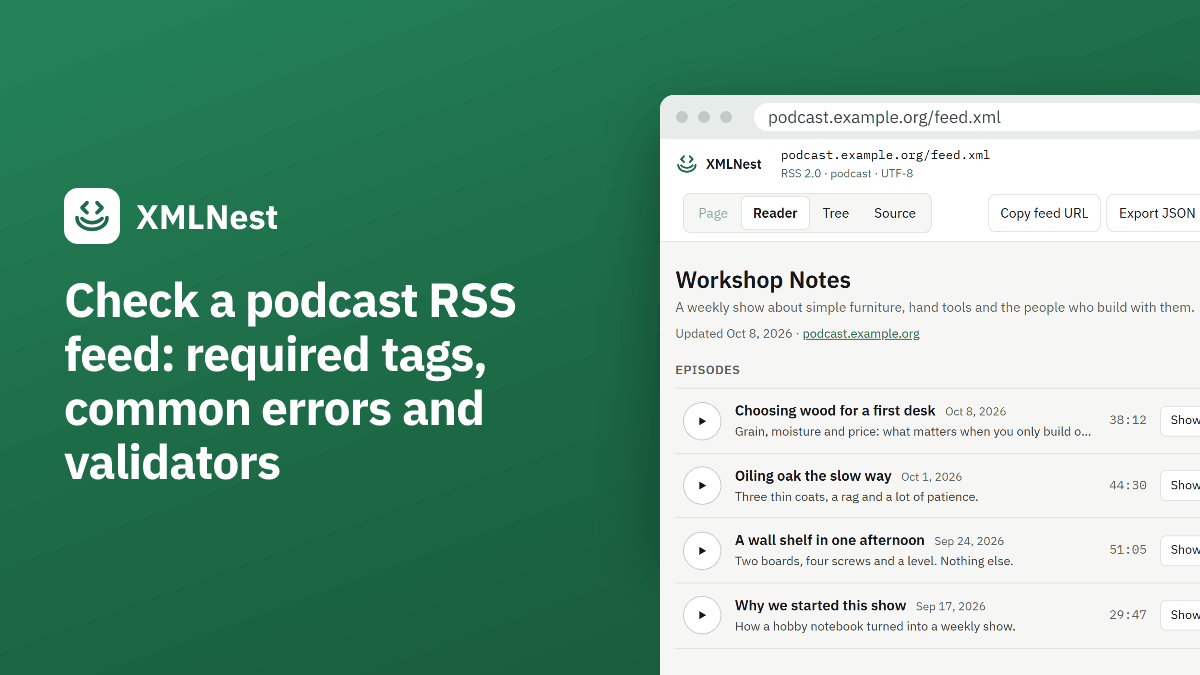
To see the structure instead of a wall of text, you can install XMLNest, an XML viewer for Chrome. It opens RSS and podcast feeds in a reader view with a podcast player, and has a tree view where you can fold the channel and each item. It also opens feeds that Chrome shows as plain text.
Without an extension, save the feed and paste it into our online XML validator, which gives the line and column of the first error. Our XPath tester for XML can then list values across all episodes. For example, //item[not(guid)]/title returns the titles of episodes with no GUID, and //enclosure/@type lists every enclosure type in the feed.
Podcast feed validators
A well-formed feed is not always a valid podcast. Three free services check more than the XML:
- Cast Feed Validator, run by Blubrry. You enter a feed URL and it lists warnings and errors. Its page says it covers more than Apple Podcasts.
- Podbase Podcast Validator, by Charles Wiltgen. It checks that the URL responds, that the content is valid XML and RSS 2.0, and that the feed is served over HTTPS. Its Apple Podcasts tests cover artwork size, HEAD and byte-range support on the episode server, file extensions in enclosure URLs and the category. It also checks the PSP-1 standard of the Podcast Standards Project.
- W3C Feed Validation Service. It checks RSS and Atom feeds against their specifications, and lists
itunesamong the namespaces it validates.
Apple Podcasts Connect also validates the feed when you submit a show.
Common podcast feed errors
We built a second test feed with the mistakes below and parsed it with Python. It parsed without any error. Only a short script that compared it with Apple’s list found the problems. A parser checks XML, not podcast rules.
Unescaped ampersand. A raw & in a title or description breaks the XML. Apple asks for &, and for ' or " instead of HTML entities such as ’. In our test, Python stopped with “not well-formed (invalid token): line 14, column 20”, and Chrome gave column 21 for the same character. Python counts columns from 0, Chrome from 1.
Missing or wrong artwork. Without itunes:image, the feed fails Apple’s validation. With an image under 1400 pixels, over 3000 pixels, or in a format other than JPEG or PNG, it does not meet Apple’s artwork rules.
Wrong enclosure type. audio/mp3 looks right but is not in Apple’s list. MP3 files use audio/mpeg.
Missing or wrong length. Our test enclosure had no length at all. RSS 2.0 requires it, and it must be the size of the file in bytes. A duration such as 29:47 belongs in itunes:duration.
Invalid category. Apple’s category values are case-sensitive. Kids & family is wrong and Kids & Family is right. A category that is not on Apple’s list fails too.
Missing guid or explicit tag. Both are required by Apple. Our broken feed had neither, and the XML was still well-formed.
A namespace typo. Apple asks for the itunes namespace exactly as written above, and XML is case-sensitive. A feed with a different namespace URI is still valid XML, but its itunes: tags no longer belong to Apple’s namespace.
Check the XML first, then the podcast rules. A validator that knows Apple’s requirements catches the second kind of error, which no browser or parser shows.
Sources
- Apple Podcasts for Creators: Podcast RSS feed requirements (checked on 29 October 2026)
- Apple Podcasts Connect Help: A Podcaster's Guide to RSS (checked on 29 October 2026)
- Apple Podcasts for Creators: Apple Podcasts categories (checked on 29 October 2026)
- Apple Podcasts for Creators: Find a hosting solution (checked on 29 October 2026)
- RSS Advisory Board: RSS 2.0 Specification (checked on 29 October 2026)
- Podcast Index: The podcast namespace 1.0 (checked on 29 October 2026)
- W3C Feed Validation Service: About (checked on 29 October 2026)
- Cast Feed Validator, by Blubrry (checked on 29 October 2026)
- Podbase Podcast Validator (checked on 29 October 2026)
- Test by XMLNest : Tested by XMLNest on 29 October 2026 with Python 3.14.3 and Chromium 156.0.8078.4. A small podcast feed with the six channel tags and three item tags required by Apple parsed without error. The same feed with a raw & in an episode title failed in Python with “not well-formed (invalid token): line 14, column 20”. Served as application/xml, Chromium showed “error on line 14 at column 21: xmlParseEntityRef: no name”; served as application/rss+xml, both the valid and the broken feed showed as plain text, with no error. A second feed without itunes:image, itunes:explicit, guid and the enclosure length, with type audio/mp3 and the category “Kids & family”, parsed without error: only the script that compared it with Apple's list found the problems (checked on 29 October 2026)