
XSLT Polyfill extension: what it does and how to use it
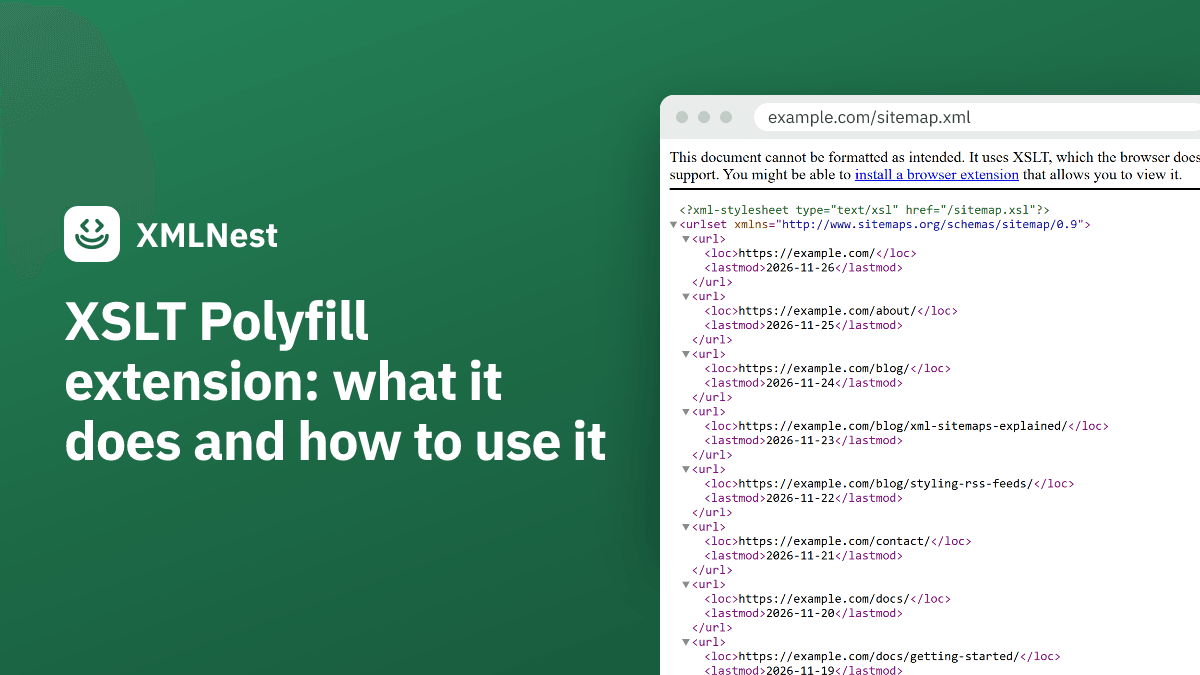
Since Chrome 158, XML pages built with an XSL stylesheet show raw tags, and Chrome points to an extension called XSLT Polyfill. We read its source code and tested the library it runs in Chrome 158. Here is what it brings back, how to check that it works, where it stops, and how it compares with other extensions.
Since Chrome 158, released on 17 November 2026, an XML page that relies on an XSL stylesheet no longer shows its designed layout. Chrome shows this line, then the raw XML:
This document cannot be formatted as intended. It uses XSLT, which the browser does not support. You might be able to install a browser extension that allows you to view it.
The extension Chrome’s announcement points to is XSLT Polyfill. Here is what it really does, based on its source code and our tests of its library. For the change itself, see our guide on XSLT removed from Chrome.
What the XSLT Polyfill extension does
XSLT Polyfill is a free, open-source extension by Mason Freed, who also maintains the xslt-polyfill library. That library, a WebAssembly build of the libxslt and libxml2 engines, runs XSLT 1.0. On each XML page, the extension:
- Looks for an
<?xml-stylesheet?>line at the start of the document. Without one, it stops. - Downloads the same address again, runs the stylesheet and replaces the raw XML with the result.
- Adds
XSLTProcessor, the JavaScript interface Chrome removed, so web apps that transform XML keep working.
Everything runs in your browser, and the Store listing says it collects no data.
How to install it and check that it works
- Search the Chrome Web Store for XSLT Polyfill and open the result whose address ends with
hlahhpnhgficldhfioiafojgdhcppklm, with about 200,000 users. - Click Add to Chrome. It gets access to all sites at once. In
chrome://extensions, under Details, you can limit its site access to specific sites. - Reload the XML page. “XSLT Extension is processing this page, please wait…” shows briefly, then the styled page.
- To confirm, open the console with F12: after a transform, it writes “XSLT Polyfill has transformed this document.”
What changes on the page
Before, you see Chrome’s message and the XML tree, as in the image at the top, taken in Chrome 158. After, you see the page the stylesheet builds, such as a sitemap table with clickable links.
The result is close to what Chrome used to show, not identical. The page stays an XML document underneath, so a script that calls document.write() fails: in our test, with “Only HTML documents support write()”. The extension’s README lists three more differences. Scripts in the XML file itself run before the transform. A page that answered a form (a POST request) is downloaded again with a plain GET, so it can come back different. Frames that scripts create as about:blank do not get XSLTProcessor.
What XSLT Polyfill does not cover
- Files on your computer. The extension stops on
file://addresses and logs “Fetching from file:// URLs is not supported by this extension.” Turning on “Allow access to file URLs” does not change that. Serve the folder with a local web server instead, for examplepython -m http.server 8000, then open the file fromhttp://localhost:8000/. - Pages with a strict security policy. A
Content-Security-Policywhosescript-srcdoes not allow'wasm-unsafe-eval'blocks the engine, and the page shows “Error displaying XML file: WebAssembly.Module()…” Only the site can change this. - Feeds sent as application/rss+xml or application/atom+xml. Chrome shows them as plain text, not as XML, so there is nothing to transform. See why an RSS feed shows as plain text.
- Stylesheets on another site. The library loads the stylesheet and its imports from the page’s own site only. In our test, a stylesheet on another origin was refused even though that origin allowed it with CORS.
- Very large files. With the same library, a sitemap of 50,000 URLs took about 4 seconds to appear on our PC, against half a second for 10 URLs. Users have measured transforms several times slower than Chrome’s former built-in XSLT.
XSLT Polyfill, XMLNest and look-alike extensions
We make XMLNest, another extension built on the same library, so weigh our view accordingly. Here is how the two compare:
| XSLT Polyfill | XMLNest | |
|---|---|---|
| Developer | Author of xslt-polyfill | xmlnest.com |
| Site access at install | All sites | None, then all sites or site by site |
| XSLTProcessor for page scripts | Every page | Sites where you turn it on |
| XML files on your computer | Not supported | Shown, without the stylesheet |
| XML without a stylesheet | Left as is | Tree, feed and sitemap views |
| Scripts of transformed pages | Run | Only on sites you allow |
| Users (Chrome-Stats, 27 November 2026) | 200,000 | 5,000 |
| Price | Free | Free |
If you only want styled pages back and accept access to all sites, the official extension is the simple choice, and its author updates it often (last on 24 November 2026). XMLNest makes sense if you also read XML without a stylesheet, feeds or sitemaps, or prefer to grant access site by site.
Watch out for look-alikes. On 27 November 2026, a Chrome-Stats search for “XSLT Polyfill” returned nine extensions with these words in their name, XMLNest included. Only one comes from the library’s author: check the developer and the ID at the end of the Store address before you install.
If the styled page still does not appear, our XSLT Polyfill troubleshooting checklist matches each symptom to its fix. Site owners can also add the library to their own files, as shown in xslt-polyfill for site owners.
Questions
Is XSLT Polyfill an official Google extension?
Chrome's announcement of the XSLT removal points to it, and its developer, Mason Freed, also maintains the xslt-polyfill library that Chrome recommends to site owners. The Store listing names no company: its contact address is mfreed+extension@gmail.com. The code is open source on GitHub.
Does XSLT Polyfill work on XML files on my computer?
No. Its code stops on addresses that start with file://, even when “Allow access to file URLs” is on. Open the folder through a local web server instead, for example with python -m http.server, then open the file from its localhost address.
Why does XSLT Polyfill need access to all sites?
An XML page with a stylesheet can be on any site, so its manifest runs it on every web address. It stops at once on pages that are not XML with a stylesheet line. You can limit its site access in Chrome's extension settings; it then works only on the sites you choose.
Does XSLT Polyfill support XSLT 2.0 or 3.0?
No. It runs XSLT 1.0, the version that Chrome supported. For newer XSLT, the library's README points to SaxonJS.
Sources
- Chrome for Developers: Removing XSLT for a more secure browser (checked on 27 November 2026)
- XSLT Polyfill - Chrome Web Store (checked on 27 November 2026)
- Chrome-Stats: XSLT Polyfill (users, version and permissions, third-party data) (checked on 27 November 2026)
- XSLT Extension, README of mfreed7/xslt_extension on GitHub (limitations) (checked on 27 November 2026)
- XSLT Extension source code: content.js (file:// addresses, refetch, console messages) (checked on 27 November 2026)
- XSLT Polyfill, README of mfreed7/xslt_polyfill on GitHub (checked on 27 November 2026)
- xslt-polyfill issue 16: transformToFragment takes 5 times as long as native (checked on 27 November 2026)
- Chrome for Developers: Match patterns (file URLs need the user's permission) (checked on 27 November 2026)
- Chrome Web Store Help: Install and manage extensions (site access) (checked on 27 November 2026)
- Python documentation: http.server (checked on 27 November 2026)
- Test by XMLNest : Tested by XMLNest in Chrome 158.0.8127.88 on 27 November 2026 with xslt-polyfill 1.0.38, the library inside the extension: an XML sitemap linked to an XSL stylesheet showed “This document cannot be formatted as intended”, then appeared styled once the library ran (10 URLs in about 0.5 seconds, 50,000 URLs in 3.5 to 4.4 seconds); a script calling document.write() failed with “Only HTML documents support write()”; a Content-Security-Policy of script-src 'self' blocked the WebAssembly engine; a stylesheet on another origin was refused even with an Access-Control-Allow-Origin header; feeds sent as application/rss+xml or application/atom+xml stayed plain text. Store search on Chrome-Stats the same day: nine extensions named “XSLT Polyfill” (checked on 27 November 2026)